Traveller Web App Update v10 coming today

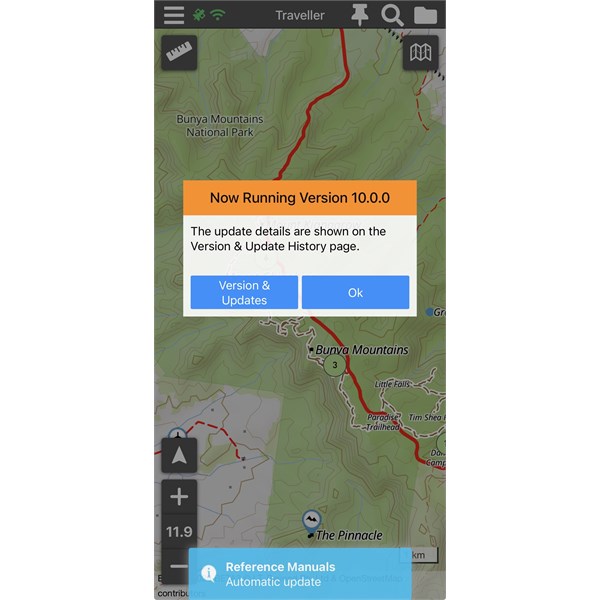
As just posted on our Traveller App User Group (on Facebook), we’ll be updating the ExplorOz Traveller Web App to Version 10.0.0 later today.

This is the official v10 release for the web app, rolling out ahead of the Android and Apple App Store versions (coming over the next few days).

Releasing the web app first also gives us a chance for some last-minute public testing before mobile goes live.

For most web app users, there may not be any obvious day-to-day change — but this update represents a major milestone in the Traveller platform.

What’s new in v10.0.0
-All-new map engine (improved performance)
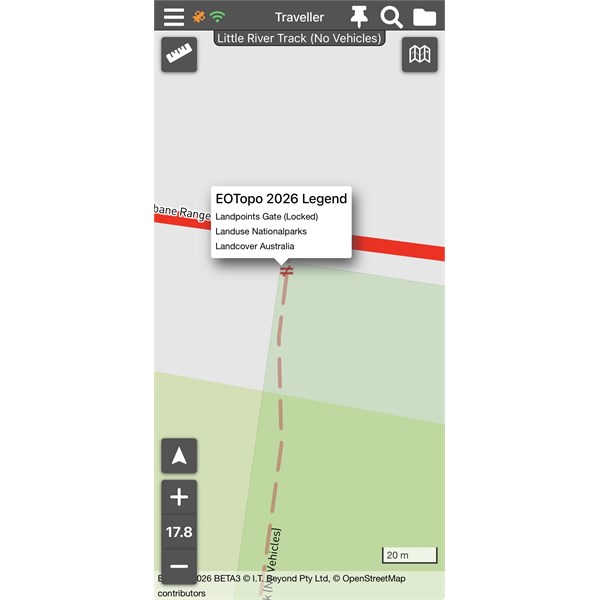
-EOTopo 2026 online maps (Beta 3)
(the final EOTopo 2026 map data will be released shortly, in line with the mobile app rollout)
-Improved road & track visibility at lower zooms
-More roads visible earlier
-Colour-coded MTB trail styling
-Gate data added to the base map
-Terrain & 3D support
-Treks renamed to Routes
-UX and styling improvements across the app
-Updated Help Guides

Reminder: Version 10 is not being released as a downloadable app for Windows. From here forward, Traveller is supported on Web, Android, and Apple only.
Windows users can continue to use the Web App (Membership required).

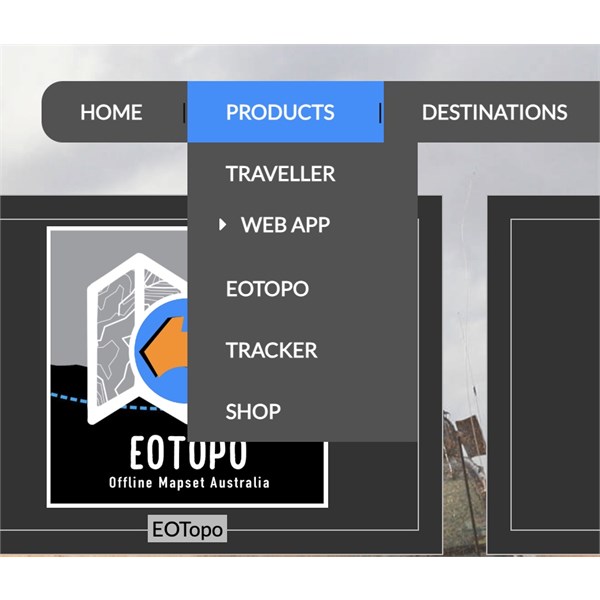
To open - hover your mouse over the Product Menu at the top of the site (from any page of the site) - as per the included image below. Or just click this url - Version 10 Traveller Web-App

Note: Purchase of offline EOTopo 2026 is not yet available. This will be released once the final mobile versions are live in the app stores.

If anything doesn’t look right or behaves unexpectedly, please let us know via the Help Desk.
Thanks everyone — nearly there now.
David (DM) & Michelle (MM)
---------------------------------
Currently Mapping in the Field Across Australia Fulltime in 2023 - 2025

Lifetime Member
My Profile  My Blog  My Position  Send Message
Moderator

Back Reply Expand Un-Read 6 Moderator

Reply By: Member - Duncan2H - Saturday, Jan 17, 2026 at 09:05

Saturday, Jan 17, 2026 at 09:05
Have a whole bunch of Map Settings been removed? or is this just an artifact of the web app?

Eg:

Show Heading in Speed Panel
Show Speed Panel
Heading Format
Range Rings


Assuming this is just all the settings related to live GPS feed and these have always been excluded from the Web App? Just looking to confirm.

Somehow ended up with two thumbtack icons in the top right too.. the enabled one, when clicked goes to Data Manager.. tried to report via Helpdesk.. but having login issues..

AnswerID: 648857

Follow Up By: ExplorOz - David & Michelle - Saturday, Jan 17, 2026 at 14:07

Saturday, Jan 17, 2026 at 14:07
Hi Duncan,
Yes the web app is for stationary use only - is not GPS enabled, doesn't track etc so those active nav features have always been absent from the web app. With the weird display of the app - I notice you're using an unsupported browser - Mozilla. Please use Chrome, Edge, Safari, or Opera.
David (DM) & Michelle (MM)
---------------------------------
Currently Mapping in the Field Across Australia Fulltime in 2023 - 2025

Lifetime Member
My Profile  My Blog  My Position  Send Message
Moderator

2
FollowupID: 930479

Follow Up By: Member - peter_mcc - Sunday, Jan 18, 2026 at 09:41

Sunday, Jan 18, 2026 at 09:41
I've been playing with the web app a little bit. You say it isn't "GPS Enabled" but it does use location services and complains every time I start it because I didn't give it that permission.

Lifetime Member
My Profile  Send Message

0
FollowupID: 930480

Follow Up By: ExplorOz - David & Michelle - Tuesday, Jan 20, 2026 at 12:08

Tuesday, Jan 20, 2026 at 12:08
Yes Peter — good observation, and it’s just a wording/expectation thing rather than GPS tracking.
The web app has always used a static location reference. To do that, the browser will ask for permission to access location services (via Wi-Fi, IP, or your OS settings). That’s the prompt you’re seeing.

A couple of clarifications:
If you allow location access, the web app will use that single, fixed location as your “current” position.
If you don’t allow location access, the app defaults to Alice Springs as a neutral centre point.
On a Windows PC, you can also set a manual default location in Windows location settings (map click or address), which the browser then provides to the app.

So while the web app does reference a “current location”, it does not use GPS and does not track movement. There’s no live positioning or breadcrumb tracking like the iOS/Android apps.

In that sense:
Location reference behaviour is the same as the mobile apps
Movement detection is not — the web app is stationary by design and intended for browsing, planning, and prep rather than navigation

Hopefully that clears up the distinction.
Michelle
David (DM) & Michelle (MM)
---------------------------------
Currently Mapping in the Field Across Australia Fulltime in 2023 - 2025

Lifetime Member
My Profile  My Blog  My Position  Send Message
Moderator

3
FollowupID: 930486

Reply By: Member - Mark B68 - Saturday, Jan 17, 2026 at 22:23

Saturday, Jan 17, 2026 at 22:23
Everything seems fine with update so far.
Mature Couple - Still working!! waiting to make the BIG STEP to go travel this big country of ours.
Background of Military Service, Medical and IT

Member
My Profile  My Position  Send Message

AnswerID: 648859

Reply By: Member - peter_mcc - Sunday, Jan 18, 2026 at 09:47

Sunday, Jan 18, 2026 at 09:47
There's a minor problem with the place change history list where it attributes things done by admin to me - eg all the place creation entries. I've submitted it via the helpdesk

Lifetime Member
My Profile  Send Message

AnswerID: 648861

Follow Up By: ExplorOz - David & Michelle - Tuesday, Jan 20, 2026 at 12:10

Tuesday, Jan 20, 2026 at 12:10
yep thank you and its fixed now.
Michelle
David (DM) & Michelle (MM)
---------------------------------
Currently Mapping in the Field Across Australia Fulltime in 2023 - 2025

Lifetime Member
My Profile  My Blog  My Position  Send Message
Moderator

2
FollowupID: 930487

Reply By: ExplorOz - David & Michelle - Tuesday, Jan 20, 2026 at 12:22

Tuesday, Jan 20, 2026 at 12:22
The full set of Help Guides has just been revised and is now available in the web app. This is the same guide set that will be released in the mobile app once it’s ready.

A significant amount of work has gone into expanding and clarifying sections that regularly cause confusion, based directly on patterns we see through Help Desk enquiries. If you haven’t looked at the updated guides yet, they’re well worth a read.

Tip: Once viewed in the web app, you can use the print option if you prefer a hard copy. While the guides are designed as a live, digital help system that will continue to be updated in-app, these revised versions should already answer many common questions.

Michelle
David (DM) & Michelle (MM)
---------------------------------
Currently Mapping in the Field Across Australia Fulltime in 2023 - 2025

Lifetime Member
My Profile  My Blog  My Position  Send Message
Moderator

AnswerID: 648869

Sponsored Links